Line Origin — a fixed anchor point for your lines in Aseprite
A downloadable tool
The problem
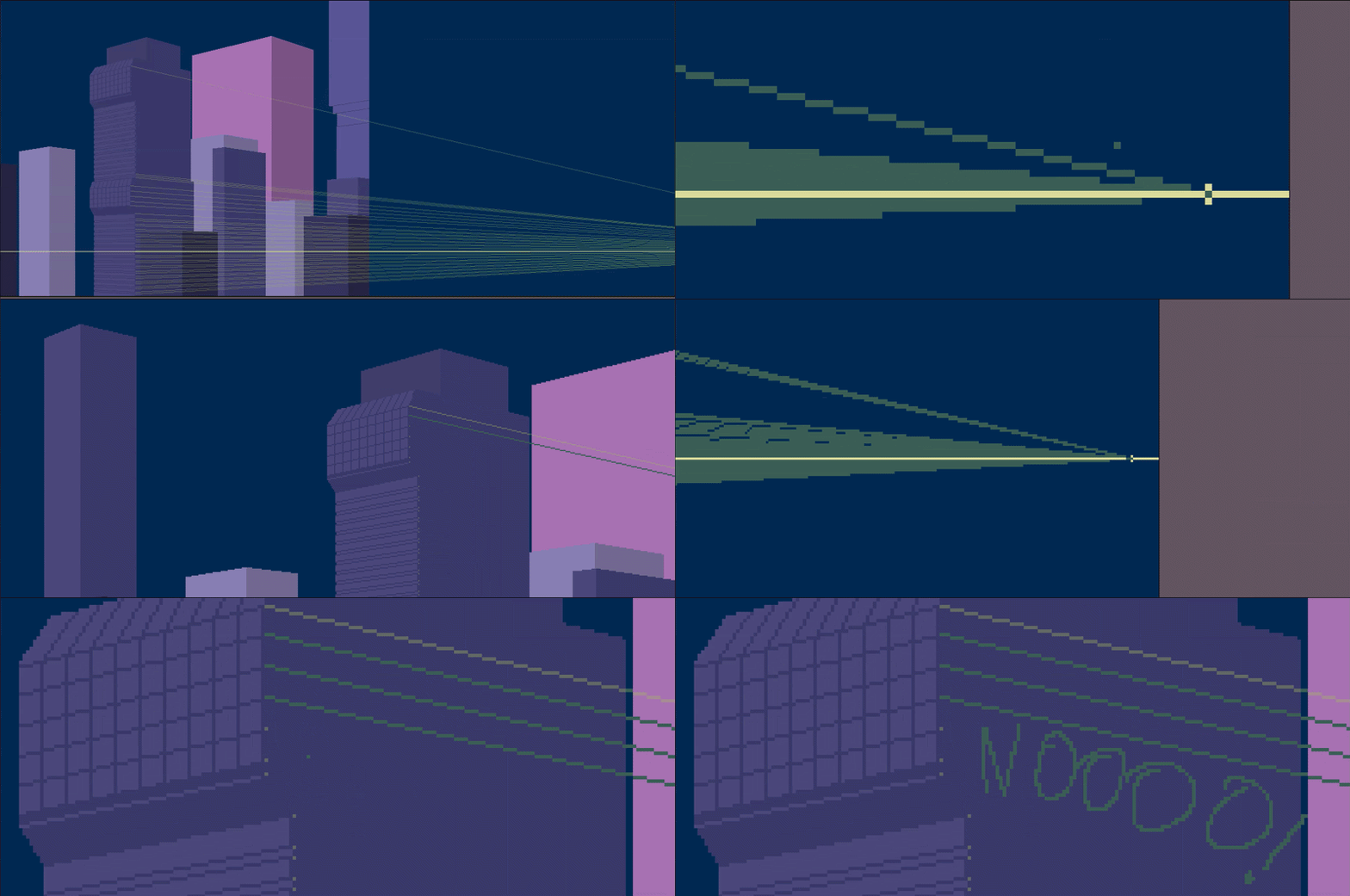
Ever wanted to draw a bunch of lines that all radiate from the same point? Sun rays, light beams, strands of hair, perspective lines, an explosion, the spokes of a wheel… In Aseprite, brush + Shift draws the line from the last point you painted, not from a fixed one. So every time you have to re-click the origin by hand, hope you hit the exact pixel, and repeat. It's slow and never quite perfect.
The solution
Set your origin point once, and from then on every click draws a clean straight line from that anchor to wherever you click. No repositioning the origin, no losing precision. Perfect for fans of lines, radial effects, and any stroke that starts from a single point.
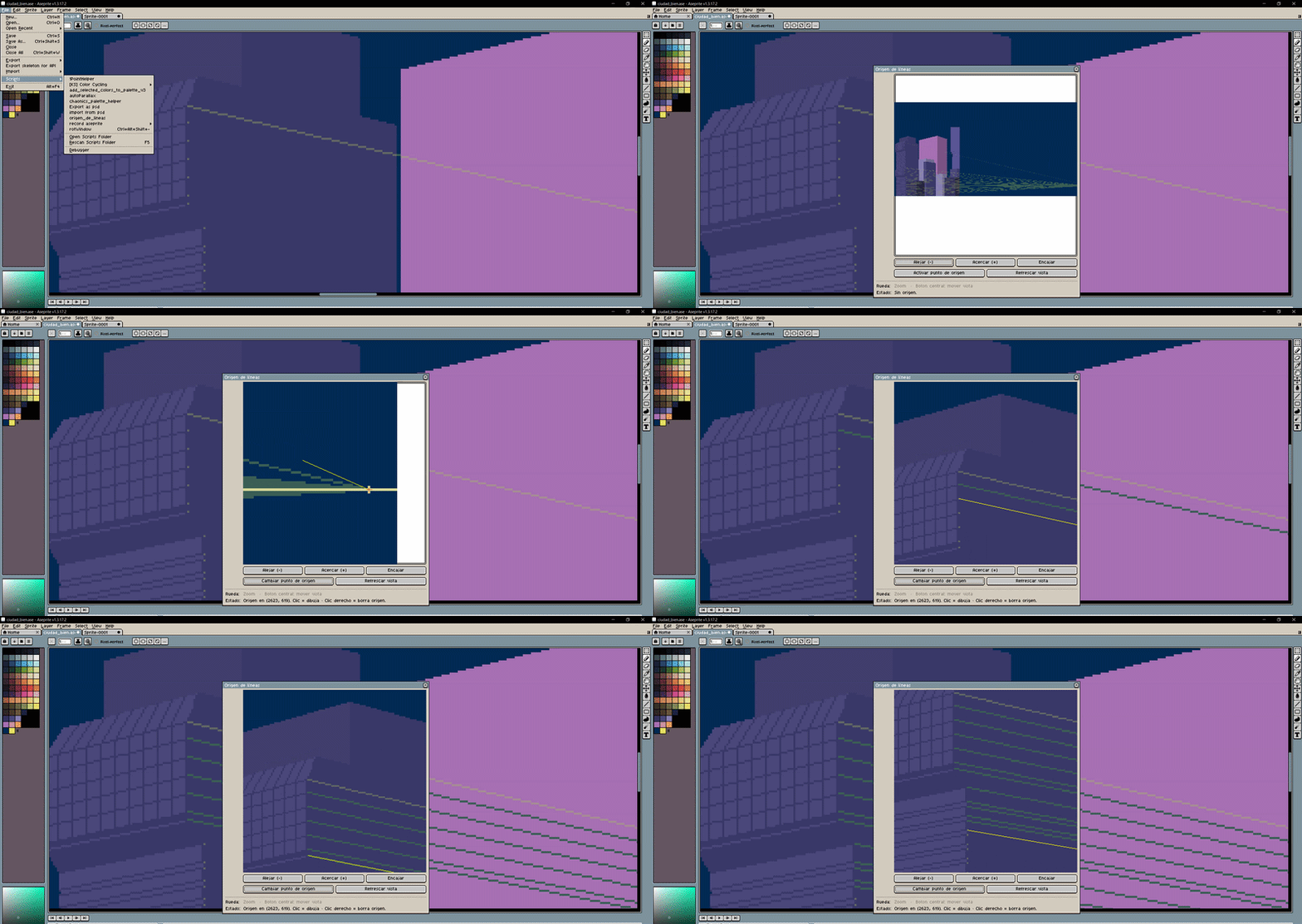
It comes with its own preview window featuring zoom and pan, so you can zoom in and click the exact pixel you want without fighting the view.
Features
- Fixed origin point: set it once, draw as many lines from it as you like.
- Live preview: see the line before you release the click.
- Mouse-wheel zoom (centered on the cursor) and middle-button panning.
- Uses your current brush and foreground color: respects your setup.
- Draws straight onto the active layer and frame, with full Undo support.
Controls
- Left click: set the origin / draw the line.
- Right click: clear the origin.
- Wheel: zoom. Middle button (drag): pan the view.
Compatibility
Aseprite v1.3-rc1 or newer (requires the scripting API with the dialog canvas).
Installation
File - Scripts - Open Scripts Folder, drop the .lua inside, then hit Rescan Scripts Folder. You'll find it in the Scripts menu.
Download
Click download now to get access to the following files:
Leave a comment
Log in with itch.io to leave a comment.